3 Back To School Books With Creative Gifts & Activities For The Beginning of The Year


This post contains affiliate links for your convenience. That means I get a small commission if you use my links to buy something, but at no cost to you.

Are you looking for a back to school gift to start the year off "write"? Try tying tags onto a pen or pencil that say, "You are just 'write' for our class!" I give these to my students before school starts. We have students come in to do assessments before the first day of school. They come in small groups, and they are usually pretty nervous. I start by reading the book A Teacher's Top Secret. I found this book last year, and it is awesome! It tells the students a big teacher secret––that we pick them to be in our class because of all the special gifts they have to offer our classroom family. It talks about how sometimes it gets pretty heated and teachers throw down over the students to make sure they get them in their class! It's really cute. After we read the book, it's time for them to start their beginning of year assessments. I give them their pen and tell them it is a special pen that will help them do their best! 

You can download the tag for free here in my TpT store. I print the tag on different colored AstroBright card stock and use a 3 inch circle punch to cut them out quickly (Note: You have to cut off some of the extra paper to get the hole punch close enough to cut out the circle perfectly). These tags are made for the 3 inch punch. Then I use a regular hole punch in the top and curling ribbon to tie it onto the pen. These are some of my favorite pens to give the students. They love them! 


This year, I'm adding this little fairy or elf door to my classroom. I'm going to let the kids know that we have some magical friends that live in our classroom who left the pens for them to use during their assessment days, and I will show them the little door. I will let them speculate on who or what could be living there! Once school starts, one of our first units is fairytales and folktales.  After I read The Elves and the Shoemaker by Jacob Grimm and Jim LaMarche, it will lead us to the discovery that we have magical elves that live in our classroom. Our elves will leave little notes, drawings, and words of encouragement sporadically throughout the year. I think we'll also have some visits from their cousins from the North Pole around Christmas time and their friends the leprechauns will visit around St. Patrick's Day and play tricks on us!


2. Lubna and Pebble by Wendy Meddour:
Make a Bed For Pebble


Lubna and Pebble is a beautiful book that I love to use to start off the year. It is about a little girl who is a refugee (it doesn't specify from where) who comes to a new country, and she feels lonely and scared. Her best friend is a pebble that she holds when she is scared, and she talks to it when she is lonely. When they make camp and pebble is cold, dad helps Lubna make a cozy bed for pebble. When a new boy joins the camp, Lubna becomes his friend because he is lonely and scared too. When it's time for Lubna to leave the camp, the boy doesn't want her to go. She leaves her best friend pebble with him so he has someone to hold onto when he is scared and talk to when he is lonely. It is a very touching story of friendship that is beautifully written and beautifully illustrated. 

After reading this story, we talk about who feels a little scared and lonely in a new classroom. Then I pass out a pebble friend to them to hold onto when they feel that way. This is a gift that is super special to kids EVERY time. We bust out the STEM supplies next, such as cardboard tubes, egg cartons, small boxes, etc. and I let the kids build a bed for their pebble. When they're done, we all go around and introduce ourselves and share our bed creations, then I let kids go back and make adjustments if they got new ideas from other classmates. I encourage them to collaborate with each other on their modifications as we also build classroom community. This is always an amazing first day activity that leaves kids feeling excited about coming back to school.


3. Scribble Stones by Diane Alber:
Scribble Stones


Scribble Stones is a great follow up to Lubna and Pebble (I typically do it several days later or the following week). Scribble Stones is a book about this stone that has waited his whole life to be chosen for a special job only to become someone's paper weight. It's disappointing until one day these scribbles use all the paper in the office. The stone has a great idea, and the scribbles use him to create their art! In the back of the book, the scribble stone project is explained: You find a stone, add some art, and then pass it on to someone else to spread kindness in the world. They add more art to the stone and pass it on too. It's a great way to start a chain of kindness. At the beginning of the year when we go over classroom rules or the school PBiS letters, kindness is always incorporated.

I usually get 3 - 4 inch stones for every student in my classroom from a local landscaping company since they are so heavy, but I put a link to some stones here that should work too. I have the kids use colored sharpie markers to decorate their stones. I used paint one year, and it was pretty messy and didn't stay on the stones, so sharpies work better for me! After the kids finish decorating their stones, we decide who to give them to in order to spread kindness. This can be tricky because beginning of the year 2nd graders are really still first graders, and they want to keep their stone. We really have to emphasize kindness and decide as a class how to pass them on. It helps that they got their own stone to keep with the Lubna and Pebble activity, but this is a big and cool stone! Two years ago we decided to share our stones with parents by putting them out by the front door of the school. Parents could not enter the building due to COVID, so we thought they would appreciate our beautiful stones in front of the school when they picked up their kids. Last year we decided to give our stones to kindergartners. My class thought they were probably afraid to start school for the first time and having a scribble stone would make them feel good about school. I can't wait to see who my students decide to share them with this year!


I have done these beginning of the year activities with my students for a few years, and they are always a huge hit! They are great ways to build classroom community and start off with some fun! 

The Top 5 Things I Can't Wait to Try In My Classroom (ISTE)

This week I got to attend #ISTELive, which is the biggest educational technology conference in the country. This coming year I'm transitioning out of the classroom (again), and I will be a technology teacher and librarian and incorporate a maker space in the library. That's what I had in mind while attending this conference, and I am so FULL of ideas because it's always very inspiring (and overwhelming) at a conference like this! Here are the top 5 things I can't wait to try in my new classroom after attending this conference! 

This post contains some affiliate links, which means that if you purchase something using my link, I get a small stipend, but at no cost to you. It's an easy way to show your support if you like my blog!
5. Digital Citizenship: Cyber Sleuths Book Series 

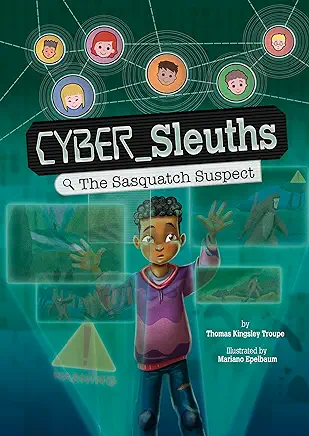
I had a chance to see some early chapter books in the new Cyber Sleuths book series by Thomas Kingsley Troupe. Two books in the series, The Sasquatch Suspect and The Sham City of Atlantis, will be available to buy in August, but I got to buy and read The Sasquatch Suspect this weekend. I am already loving this series! Although it says it's for grades 4 - 6, I would say it's more like a 2nd - 3rd grade reading level. 


In The Sasquatch Suspect, Cliff is on a summer weekend getaway with his parents and his little brother at a Lake in Washington. On the drive to the lake, they see a billboard that says, 'Coming Soon? Sasquatch Shack.' The Malarks are people who claim to have taken the best picture of Bigfoot to date in those woods in Washington, which apparently is the heart of Bigfoot land. They want to build a Sasquatch shack for people to visit and try to get a glimpse of Bigfoot. They later release a sound clip of Bigfoot, then a video too. They have a FastFund Page (like GoFundMe), and they are trying to get 2 million dollars to build their Sasquatch Shack. Cliff's 9 year old brother is scared of the idea that Sasquatch is living in the woods where they are staying, but Cliff isn't sure he believes it. As part of a world-wide group of kids who call themselves the Cyber Sleuths, Cliff does some online investigating to see if the evidence is real. In this story, Cliff gets help from Galina who lives in Ukraine, and Ola from Nigeria (I believe you meet other members of the cyber sleuths in other books). Together they analyze the evidence to see if it is trustworthy. I love how the investigation is done in the book. They are respectful of people's ideas and beliefs, so they don't dismiss the idea of Bigfoot, but they do dig into the evidence to see if it is reliable. That is just what we want students to learn to do with information they find on the internet! In the back of the book, it says how being a cyber sleuth connects to the ISTE standards. I love how it uses modern day problems and technology to thoughtfully investigate the validity of a problem. I think it will be very appealing to 2nd-3rd graders, and I plan on reading it aloud during library, then connecting it to digital citizenship lessons in technology. It lists resources in the back of the book including Be Internet Awesome, which is a free resource from google that was a new resource to me. It has digital citizenship lessons and games that I'm looking forward to trying. This is also a great tie-in to depth and complexity. I always use Bigfoot to introduce the idea of unanswered questions. This definitely raises an ethical question as well when people try to use digital tools to trick other people.


4.  STEM Materials: MakeDo Cardboard Kit and Strawbees

MakeDo may not be new to you because I think they've been around for a little while, but it was new to me. I could not believe how easy it was to cut and screw together cardboard with the MakeDo tools! We use cardboard to create things in my room all the time, and this was so easy and safe. It has no sharp edges to cut kids, but it works like a dream on cardboard. Anyone who has ever tried to cut cardboard with student scissors knows how valuable this is! Since we are creating a maker space in the library, it's going to be a must-have for me. You can get the MakeDo cardboard classroom kit on Amazon, and it has 14 safe-saws, 7 scru-drivers, 7 fold rollers, 240 scrus, 80 scru+, and 12 mini tools to punch holes. You can get smaller kits too, but this is perfect for table groups.

Strawbees were another cool new tool to me! They are straws that have connectors that allow you to build a lot of different things. They can even be moveable which is pretty amazing! There is a free teacher resource called Classroom Strawbees which has lesson plans, webinars and courses for teachers. They are very detailed lesson plans, such as the Boreal Forest Biome lesson written by the Strawbees team. From the lesson plan: The Boreal forest biome, also known as Taiga, is an expansive-forested region situated in the Northern Hemisphere. Distinguished by its coniferous pine and spruce trees, the Boreal forest experiences a prolonged period of cold temperatures lasting for several months. This forest provides habitat for various wildlife species such as bears, moose, moss, and reindeer. The objectives are:

  • Imagine – Discover the characteristics of a boreal forest biome by trees and cold temperatures providing habitat for various wildlife species.
  • Build – Make a moose wandering through the vast boreal forest biome.
It includes vocabulary words to focus on, information, pictures, and a quiz, as well as build instructions with a lot of pictures. It's well put together! There are also some awesome physical science lessons for simple machines, and so much more! Now the STEAM School Kit comes with over 4,000 pieces, but it's pricey. However, the free detailed lesson plan resource makes it worth it in my opinion, and I am going to suggest my school invest in it. 

Another super cool thing about both MakeDo and Strawbees is that you can combine them with things like micro:bit or a Bird Brain Hummingbird Classroom Kit and turn your cardboard and straw creations into animated robots! With the Bird Brain Hummingbird kit, students can use a variety of programming languages to program it too. While some of this can get a little pricey, it's a great way to have a variety of building tools that can be used all the way across grade levels, and it can be used with other materials for endless options!


3. Quizizz: Not just quizzes anymore!

I have been a fan of quizizz for awhile, but their new updates blew me away! If you haven't used quizizz before, it is a game-based quiz, similar to Kahoot. Now, however, they have upped their game! They have interactive lessons (not just quizzes), and there are multiple options for students to answer. There are questions such as drag and drop, open text, reorder, hot spot (i.e. click on the spots on the shape that show a right angle), and so much more! Also, you can use a video you made or a youtube video, a pdf worksheet, or google slides and drop it into your lesson or quiz. Then there is a button where AI will help you generate questions based on the video, worksheet, or presentation you added saving you a ton of time! It's amazing! Better yet, you can make accommodations for students. It can read the questions to students who need it,  it can give extra time, or even assign fewer choices when picking an answer (2 choices instead of 4). No other students know about the accommodations, and all students can participate and be successful on the same quiz or lesson in a way that maybe they couldn't before. I got game changer certified so I could see what all the options were in Quizizz. It's free and it only takes about a half an hour. It takes you through their lessons/quiz to learn what it has to offer. You get to experience it like a student, and I LOVE that if you don't know an answer that there are multiple formats to use that will teach the answer. You can even make it adaptive! I suggest getting game changer certified too. I can't wait to try these with students!


2. Digital Breakout Rooms With Genially + ChatGTP

I had not tried genially before, but basically it's a  much cooler presentation format that includes animation, music, and you can even make digital breakout rooms with their premade templates. Breakout rooms, like Breakout EDU, are game-based adventures where students have to solve puzzles in order to break out of a room or into a lockbox. It's a fun way for them to review and apply skills they've learned. For example, they may have to solve multiple math problems, and the answers to the math problems are the code to open the locks. I've had fun making breakouts with students, but especially when using the physical locks, it can be a lot to undertake. With genially, they have premade templates that are already engaging–just add your content. They solve different puzzles to be able to move on to the next clue, but it doesn't involve any physical locks. The part that really blew my mind was using ChatGTP, a free AI tool, to help me create it! Now if you're new to the AI (artificial intelligence) world like me, I had heard the hype, but I didn't really know what to do with it. The key is being very specific. Since I am teaching library next year, I thought it would be fun to do a breakout in the  library. 

Here is what I typed into chatGTP: Expert Role: You are an instructional strategy and curriculum expert in CO, as well as an experienced K-8 teacher. You are also proficient in designing engaging and educational digital escape rooms using Genially. Task: Create a student-centered digital escape room for second grade library. The escape room should include various interactive challenges that align with the learning objectives and keep students engaged. Each interactive challenge should be laid out explicitly to be created within Genially. Constraints: This digital escape room should take approximately 20 minutes for students to complete. Level: This should be an INTRODUCTION activity. Include: [Student-friendly learning goals: Clearly state what students should achieve by completing the escape room. Student-friendly directions: Provide clear instructions on how to navigate and complete the escape room.

Here is what I got back: 

Title: "Library Adventure: The Quest for Knowledge!"

Student-friendly Learning Goals:

  1. Learn how to navigate the library.
  2. Understand the different sections of the library and what they offer.
  3. Practice using library resources, such as the catalog and book sections.
  4. Develop teamwork and problem-solving skills.

Student-friendly Directions: Welcome to the Library Adventure! In this digital escape room, you will help guide our friend, Lucy the Librarian, through the library. She needs to find special items and solve puzzles to unlock the secret door. Work with your classmates, follow the clues, and use your library skills to complete each challenge. Good luck!

Structure of the Digital Escape Room:

  1. Introduction Scene:

    • Description: A welcoming screen with an image of Lucy the Librarian at the entrance of the library.
    • Interactive Elements: A start button that transitions to the first challenge.
    • Instructions: Click the start button to begin your adventure with Lucy!
  2. Challenge 1: Library Map Puzzle

    • Description: Lucy needs to find the reading area. Students are presented with a jumbled library map.
    • Interactive Elements: Drag-and-drop pieces to complete the map.
    • Learning Objective: Understand the layout of the library.
    • Instructions: Drag the pieces to complete the library map. When you're done, click the check button to see if you're correct.
  3. Challenge 2: Dewey Decimal System Match

    • Description: Lucy needs to find a book on animals. Students must match book topics with their Dewey Decimal numbers.
    • Interactive Elements: Matching pairs game.
    • Learning Objective: Familiarize with the Dewey Decimal System.
    • Instructions: Match the book topic with the correct Dewey Decimal number. Click on the cards to flip them over and find the pairs.
  4. Challenge 3: Catalog Search

    • Description: Lucy is looking for a specific book. Students are shown a catalog search bar and must find the book by title or author.
    • Interactive Elements: Simulated catalog search with dropdown options.
    • Learning Objective: Learn how to use the library catalog.
    • Instructions: Use the catalog to find the book Lucy is looking for. Type the title or author and click search. Choose the correct book from the results.
  5. Challenge 4: Book Sections Sorting

    • Description: Lucy needs to organize books into their correct sections: Fiction, Non-fiction, Biography, and Reference.
    • Interactive Elements: Drag-and-drop books into their corresponding shelves.
    • Learning Objective: Understand different sections of the library.
    • Instructions: Drag each book to the correct section of the library. When all books are sorted, click the done button.
  6. Challenge 5: Secret Code

    • Description: Lucy finds a locked box that requires a secret code. The code is hidden in a riddle.
    • Interactive Elements: Riddle-solving with text input for the code.
    • Learning Objective: Develop critical thinking and problem-solving skills.
    • Instructions: Read the riddle and find the secret code. Type the code into the box and click unlock.
  7. Conclusion Scene:

    • Description: Lucy has unlocked the secret door and found a treasure of knowledge!
    • Interactive Elements: A congratulatory message with a button to finish the escape room.
    • Instructions: Click the finish button to complete the adventure and see your certificate.

Additional Notes for Implementation in Genially:

  • Use engaging visuals and sounds to enhance the experience.
  • Include hints for each challenge to support students who might need extra help.
  • Ensure all interactive elements are easy to use and accessible for second graders.
  • Provide a printable certificate of completion at the end of the escape room.

This digital escape room is designed to be interactive, educational, and fun, keeping second graders engaged while they learn important library skills.


Wow! Now I still have to build the genially escape room, but it saved me a lot of time coming up with the ideas of what to put in my escape room. Feel free to copy and paste my instructions to chatGTP and change the parts that need to fit your lesson. 


1. AI: Padlet, Adobe Express, Adobe Firefly

You can probably guess that AI (artificial intelligence) was a big theme at the technology conference this year. AI is definitely dominating a lot of conversations, not just in education, but world-wide. Before this conference, I knew that I was worried about the ethical implications of AI, even if I didn't know exactly what they were (I've seen iRobot). But truthfully, I didn't know enough about AI or how to use it to really articulate my thoughts about it. Now that I've had a chance to try it and understand what I can do with it, it's pretty awesome! First of all, one important thing to emphasize is that the AI available to us right now, at least what I played with, is not the evil take-over-the-world kind of technology. ChatGTP, Adobe Firefly, Adobe Express, Padlet cannot teach students in my place. It just can't. This type of AI HAS to be driven and implemented by a person. It's a tool, like a toaster. A toaster cannot toast bread unless someone puts the toast in and turns it on. It just can't make breakfast by itself while I'm asleep. This is the same. And like a toaster, microwave, dishwasher, etc., it can save us time! And it opens a whole new door to creativity too. Another concern is, can students use it to cheat? Yes. They could ask chatGTP to write them a paper that was written by a 5th grader about the Civil War (but let's not give them any ideas!). However, did students cheat before AI? Yep. Our tools may be more sophisticated, but the ethical issue is as old as education. Keeping them away from the technology won't teach kids not to cheat. Parents and educators still need to work as a team to teach children right from wrong. Because it doesn't matter if we like it or not, our children exist in a world with AI. We can teach them how to use it ethically and responsibly or they will figure it out on their own.  

  • Padlet: I've always been a fan of padlet! It is like a page of interactive sticky notes that can be shared among a class. You can add words, links, images, add videos, etc. Now you can also add things from your google drive, create a poll, or you can generate images using AI! Just click on the words "I can't draw" in your padlet and tell it what you want. The picture above is something I created in Padlet using AI to share a favorite story. I told AI that I wanted a cartoon elephant with a bird on its head.

  • Adobe Express: This is great for making posters, flyers, social media posts, or videos with still pictures. It has some fun new features, and students can have their own free, secure account. As a get-to-know you activity, try having students create a poster with their name and include things that describe themselves. I used AI to create my name with text effects. I chose a background with mountains because that is my favorite place to get away. I chose elements around the outside of my name that are important things to me, and I picked music with a strong drum sound because my son plays the drums. This can be fun practice using Adobe Express to have students share about themselves. Later in the year this can be an option to create a poster for a book report, a vocabulary word, or an advertisement for a national park (4th grade standard), or your state.


  • Adobe Firefly: This has been the one I've had the most fun playing with! Adobe Firefly is a generative AI program that is free for educators and students. It lets you type words that it will turn into an image, remove images in an existing picture (are there pillars in the way? Just remove them and AI will fill in the missing parts), and more! The power of this tool is that you can create unique images that could not be found anywhere else. Are you writing a story with students that involves a bee that plays the flute and wears little red boots? Just type it in. Does someone in your story fall through a magic portal and land in a purple forest with blue flowers? You can create it. Of course you can always have students draw their unique ideas too–this is just another option. And I learned the hard way that you only get so many credits a month for free, so if you keep tweaking your wording to try again, you'll eventually run out of credits for the month and have to wait for more! One of the ways I'm looking forward to using this is by creating characters and props that I will print and use in a retell center (for my younger students). I will have setting options that they can use like a kinetic sand tray, glass beads, rice, beans, etc. They can add rocks, wood, seashells, insects, etc. and use characters I generate to create scenes where they tell or retell a story. The pictures above can be for retelling a fantasy story, but there can be non-fiction stories as well. Students can share a report with facts they learned by creating a habitat and adding animals and plants that would be included in that biome. They could create stop motion videos or design a zoo. There are so many ways to get creative!
I hope you found some things that you want to play around with and give it a try too! 

Teacher Stuff Newsletter #5: The STREAM Edition


Here is the Teacher Stuff Newsletter #5: The STREAM Edition. You have probably heard of STEM, which stands for Science, Technology, Engineering, and Math. You may have heard that you can incorporate Art to get STEAM. Well, when you also incorporate Reading, you have STREAM! What better way to incorporate a STEAM lesson than to base it on a picture book? Here are some easy ideas to get you started. If you click on the books it will take you to an affiliate link. This means if you buy the book using my link, I earn a small commission, but at no cost to you. But you can always check these books out at the library too!

Teacher Stuff Newsletter #4: Library Mentor Text Edition


This edition of the Teacher Stuff Newsletter is all about mentor texts! It includes great mentor text books for teaching grammar and figurative language, and it includes some great educational videos and songs too! Double click on the videos so they open to full screen view. If you click on the books, they have affiliate links, which mean I get a small stipend if you order using my link, but at no cost to you. You can also find these books at the library! Don't forget to use the arrow key when you click on the picture above to see older versions of the Teacher Stuff Newsletter. Enjoy!

5 Best End of Year Read Alouds And Activities for the Last Week of School


Are you wrapping up the end of the school year? It gets a little overwhelming trying to finish everything and keep kids from going too crazy! Here are some books and activities to get you through the last week of school and help you remember all the good times you had together.


Last Day Blues 

by Julie Danneberg 

This is the perfect book to read on the Monday before the last day of school. It goes through the week of the last day of school. You can also watch the read aloud by Ryan and Craig. They are hilarious! This book talks about the last time they do things in their classroom together such as the last read aloud, the last science experiment, the last time they feed the class pet, and the teacher says she'll miss it. It's not too sad, but it starts to prepare kids for summer. 

Activity: I like to have morning meeting on each day of the last week of school be an opportunity for students to share what they like about each person in our class. I make a copy of this card for each student, and we choose a few students each day (you'll have to do the math to make sure you have time for every student) to write what it is we like about them. Then during morning meeting, I read each letter aloud. You will need to pre-teach that it must be signed and it will be read in front of the class, so every comment must be a kind one. Every student has found it very special to hear the words that each of their classmates likes about them. You can get the card freebie here: What We Like About You

Our Classroom is a Family 

by Shannon Olsen

Although this book is meant to be read earlier in the year as you work toward building that classroom family, it is also a sweet reminder of the classroom family you have become. Change the present and future tense to past tense as a beautiful tribute to your classroom family. Instead of reading, "So let's always remember what a great team we can be," at the end of the year, read this sentence as, "So let's always remember what a great team we were." And just like that, it's a beautiful memory to share with your class in the last week of school.

Activity: Take pictures of your students with their friends. Let each student take 3 pictures with whoever they want in each picture (I usually limit it to 5 students per picture). Have your picture choice be a picture with you and the whole class. You can print them out or post them on Class Dojo or Seesaw--whatever platform you use to communicate with parents. It's a special memory for kids to have of their classroom family.


Memory Jars

by Vera Brosgol 

This sweet story is not necessarily about the end of the year, but it still fits. This little girl is trying to save her favorite memories in a jar, just like grandma's jam. But in the end she realizes that if she keeps everything bottled in a jar, she can't enjoy it right now. This is a great message for the end of the year!

Activity: My friend Vanessa from Moving Mountains in Primary has a great End of Year Memory Jars Activity on TpT. It's a great opportunity for students to record their favorite memories in memory jars.


Goodbye For Now 

by Madison Rowe 

This is a sweet book that is clearly written by a teacher. It reminisces about all the things they did together that year as a class that matches a modern day classroom. It may start to make the kids a little sad, but it's a great way to remember special memories. 

Activity: Have an end of year memory book that kids can fill in about their favorite things from the school year, and let the kids sign each other's books. There are so many to choose from on TpT! You can also give kids an end of year gift. The last line in the book says, "Teaching you was such a treat!" This would go well with an end of year gift sweet treat! 


A Letter From Your Teacher: on the Last Day of School

by Shannon Olsen

I love this sweet story! It's my favorite book for the very last day of school. It's a perfect way to reminisce about all the fun we've had together. We definitely had tears this year though! I always cry a little when I say goodbye to the little classroom family we have built. This really is the perfect book for saying goodbye at the end of the year. 

Activity: During the last week of school, we do a how-to unit with the students, which is really fun. They have to follow directions to create different things. Go Noodle has a whole section of how-to videos, which we used a lot. To go along with this book, watched the video How to Address a Letter. I gave each of my students an envelope and they wrote their name and address on it with the school address as the return address. My friend Vanessa from Moving Mountains in Primary also has an activity End of Year Editable A Letter From Your Teacher on the Last Day of School! I'm using her template to write an individual letter to each of my students and I will mail it to them this summer in the envelope they addressed. An important note: I was shocked how many students did not know their address, so don't wait until the last day of school to address envelopes! Many of my students had to take them home and get help with their address. But I'm excited to send them each a personalized letter!


There are 2 new end-of-year books that were just published in 2024. I haven't gotten my hands on them yet, but they look like they will be great options to add to this list! If you've read them, please leave me a comment and let me know what you think! They're on my list for review. 

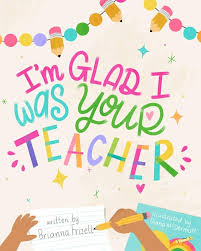
I'm Glad I Was Your Teacher 

by Brianna Frizell


by Sadie Mueck

Happy end of the school year! 

End of the Year Awards Time Saver Tutorial


It's time to start thinking about how to wrap up the end of the year. It's always bittersweet to say goodbye to the little classroom family we have created throughout the year. A nice tribute is to give students a special, individualized award that shows them how well you know them and their strengths. Bonus if you can personalize it with your Bitmoji picture! I have created a pack of 39 individualized awards that you can personalize with your own Bitmoji. This is nice because it looks like you, which makes it more personal, and it's not too cutsie or little kid-ish. You also don't have to buy a bunch of clipart to make these awards fit your class personalities perfectly. Here is the easiest way I have found to add your own Bitmoji picture into your awards.


1. Create your own avatar with Bitmoji

It's super easy and free! Just create an account at https://www.bitmoji.com/ and personalize a cartoon version of yourself. There are lots of fun ways to customize your avatar and make it look like you.


2. Add the Bitmoji Chrome Extension

To search for a picture and quickly add it to your award, you can add the free Bitmoji Chrome Extension to your Chrome bar. Once you find the picture you want, you just drag it into your award that is already set up in google slides. 

3. Print

Once you add the names, you print on card stock. And that's it! 

It's not near as much work as you might think to set up, and it's a thoughtful end-of-year gift. You can make your own awards, but I have 39 awards for you to choose from already set up for you in a google slide show. You just have to add your own Bitmoji. You can purchase it here. I suggest adding your Bitmoji to all the awards and saving it as a master so you have it year after year. If you think of an award I haven't included, just let me know and I'll see if I can add it. 

Good luck with the end of the school year!

12 Days of Christmas (or December) in the Classroom

Are you looking to add a little holiday magic to your classroom? Try wrapping 12 holiday or winter books for your class--they don't have to be brand new. Unwrap one book each day and read it aloud for 12 days of Christmas (or December). This post contains affiliate links for your convenience. That means I get a small commission if you use my links to buy something, but at no cost to you.

Add these tags to your wrapped books that say "Don't open until _________." Since we aren't at school every day in December due to weekends and winter break, you can plan when to start opening each book so that the last book is opened on the day before break. If you do elf on the shelf in your classroom, it can be a present from your elf! If you don't do elf on the shelf or you don't specify Christmas in your classroom, you can use the tags that are for 12 days of December with books to unwrap from your teacher. You can even ask parents to donate a wrapped read aloud book for the 12 days or Christmas or December so it's a surprise for you as well! You may want to include a sign up genius if you do it this way so you don't get the same book. You can even have the parent who donated the book to come read it to your class! There is a tag for all of these options included in the bundle below.


In my classroom, at the beginning of the year, I added a little fairy or elf door. Throughout the year, we have discovered that they are elves, like the elves from the book The Elves and the Shoemaker. Periodically our elves leave us notes and presents. They are cousins to the elves in the North Pole, so they have been gone for a little while helping their cousins during this busy time of year. But they have returned with 12 read alouds wrapped for the 12 days of Christmas!


Our elves are also friends with the Leprechauns who live in Ireland, and they bring them to our classroom for a visit in March. They play little tricks on us around St. Patrick's Day and we try to catch them! Read more about how I set this up in my classroom in the blog post 3 Back to School Books With Creative Gifts & Activities For The Beginning of the Year. If you didn't start with elves in your classroom at the beginning of the year, now is still a fun time to start! Your first book to open could be The Elves and the Shoemaker which can be a clue to who your new little friends are!
One of the parents in my classroom made this little house for the elves! The kids were SO excited! It is amazing! And we can change out the decor as different holidays come around!

Whoever you decide your wrapped read alouds are from, have fun sharing one with your class for 12 days of Christmas (or December). Here are some of my favorite books to use in this activity. If you are a teacher, you know that this time of year kids are C R A Z Y. Keeping their attention is a daily challenge. You need read alouds that are fun, meaningful, and not too long or you'll lose them. So while I love books like the Grinch and the Polar Express, because they are also movies, kids struggle to sit through these LONG read alouds at this time of year. That is just a teacher truth, so I stick to shorter stories. 

If you focus on the holidays, here are some of my favorites. The stories about specific holidays are a little longer, just FYI . . . 


If you want to stick to winter books, these are some of my favorites.

I personally do a combo of both kind of books in my classroom. There are some great activities that you can do with many of these books as well. 
  • The Snow Globe Family by Jane O'Connor: This is a story about a family and a family that lives inside their snow globe that mirrors what happens in their family! Here is an activity from Ideas by Jivey called Reading in a Winter Wonderland: The Snowglobe Family . And here is an oldie but goodie-- If I Lived In A Snowglobe by Hope King. I think there are more out there! We also have our students make their own snow globe ornament for their parents as a present. With a picture of their face, they add a body doing something in the snow. Then we add snow or cotton balls. They turn out so cute and original each year!
  • Snowmen At Night by Caralyn Buehner: This is a fun story to read about what Snowmen must do when kids are not around at night. Jen Kimbrell has a fun literacy activity that includes coding with this book Fun Coding Activities For Kids that Teach Literacy Skills.
  • Our Table by Peter Reynolds: This beautiful book is a good reminder about spending time with family and not getting too caught up in technology. Use 'Our Table' Bingo as "homework" for your students over the holidays. It has opportunities for students to spend time together and share the pictures with you!


Do you have any other favorite read alouds for this time of year? Do you have activities to go with them? Leave them in the comments below!